Why doesn’t my Free Chlorine (FC) level rise after I add the calculated amount?
This is a frequent issue often caused by “Chlorine Demand.” If your pool has invisible organic contaminants, such as early-stage algae or heavy bather waste, the chlorine you add is immediately consumed as it neutralizes those pollutants. In this scenario, the chlorine is doing its job, but it is being used up faster than your test kit can register a rise. If you consistently fail to reach your target, you may need to perform a “SLAM” (Shock, Level, and Maintain) process, which involves adding significantly higher doses of chlorine over several days to fully clear the organic load.
What is “Chlorine Lock” and how does it affect my calculations?
Chlorine Lock occurs when your Cyanuric Acid (CYA) levels become too high, typically above 80 or 100 ppm. While CYA is necessary to protect chlorine from the sun, an excess of it binds to the chlorine molecules so tightly that they become ineffective at killing bacteria and algae. When this happens, your test kit may show a high level of chlorine, but your pool remains cloudy or green. Most calculators will suggest a much higher target FC to compensate for high CYA, but the only long-term solution for Chlorine Lock is to partially drain the pool and refill it with fresh water to lower the CYA concentration.
How often should I recalculate my chlorine needs?
You should test your water and run a calculation at least two to three times a week during the peak swimming season. However, certain events should trigger an immediate recalculation, such as a heavy rainstorm, a “pool party” with many swimmers, or a sustained heatwave. Rain can introduce contaminants and dilute your chemicals, while heavy bather loads and high temperatures rapidly deplete Free Chlorine. Regular testing ensures that you catch a falling chlorine level before it drops low enough for algae to take hold.
Can I use the same calculation for a saltwater pool?
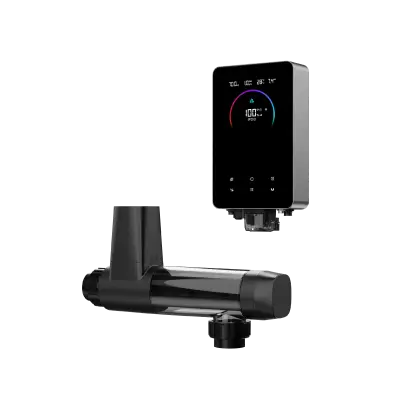
Yes, the chemical requirement for a saltwater pool is essentially the same as a traditional pool because a saltwater chlorine generator (SWG) creates the exact same type of chlorine. The main difference is the delivery method; instead of adding liquid or tablets manually, you adjust the percentage output on your salt cell. You can use a chlorine calculator to determine how many “ppm” you need to rise, and then check your salt cell’s manual to see how many hours it needs to run at a specific percentage to generate that amount of chlorine.
Why does the calculator ask for my specific product concentration?
Not all chlorine products are created equal, and using the wrong percentage in your calculation can lead to dangerous inaccuracies. For example, household bleach is often 5% or 6% sodium hypochlorite, while professional-grade liquid pool chlorine is typically 10% or 12.5%. If you use a calculation meant for 12.5% chlorine but actually pour in 6% bleach, you will only be adding half the required dose. Always check the active ingredient label on your container to ensure the “Concentration” field in your calculator matches the product in your hand.